The Project
The project is a website for Fennwick Café, a neighborhood coffee shop and bakery in Northeast Minneapolis. People looking up a cafe want three things fast: the menu, the hours, and how to get there. Most will be on a phone, often standing on the sidewalk.
Small cafes often have the opposite: a PDF menu that won't open on a phone, hours that don't match Google, and a homepage that's mostly a big photo. This design puts the essentials up front and keeps them easy for staff to update.
The Goals
- Menu, hours and directions in one glance. All three show on the homepage without scrolling on a phone.
- Hours that always match Google. The website and the Google Business Profile get set up together, with the same hours, name and phone number.
- A real menu page, not a PDF. A text menu that loads fast, reads well on a phone and can be found by search engines.
- Something staff can keep current. Training so staff can change seasonal items and holiday hours themselves.
- A look as warm as the cafe. Warm colors and a friendly serif, not a generic restaurant template.
Package Fit
Package: Local Small Business, $1,000.
A single-location cafe needs a fast, polished site and strong local search presence more than custom features. The Local Small Business package is built for exactly that. It includes Local SEO, Google Business Profile setup, Google Analytics, mobile responsiveness, social media integration, a contact form, photo sourcing, 2 rounds of revisions and 2 hours of training. Extra pages, like a catering page, are $300 each.
Compare every option in the website packages section.
Design Approach
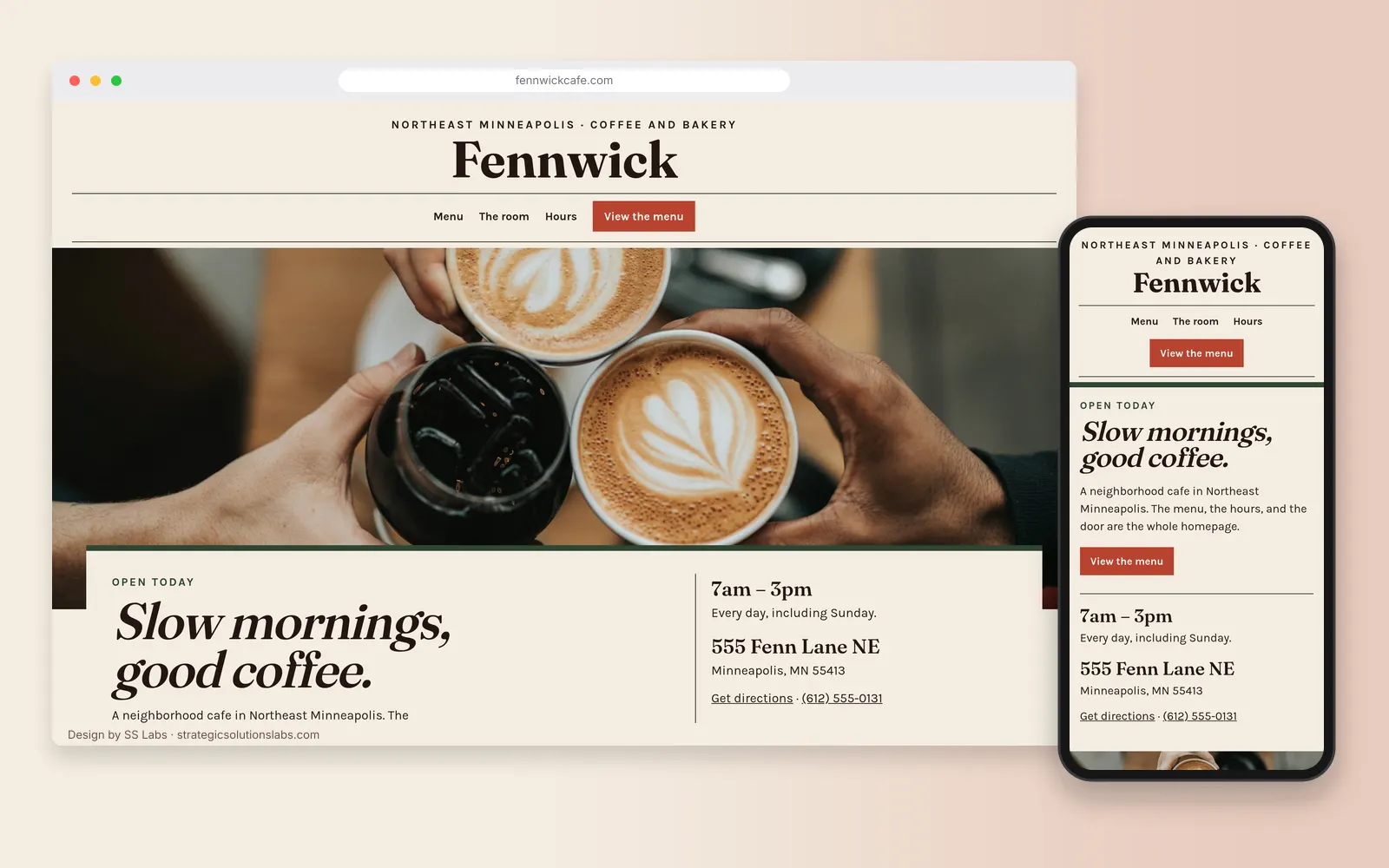
Colors: Cream (#F4EDE2) for the page, espresso (#241612) for text, terracotta (#B8432F) for the menu button, olive (#2F4634) for rules and prices, and straw (#E6D3A3) behind the visit block.
Type: Fraunces for the masthead and the headlines, with the homepage headline set in italic. Karla at 18px for menu items, hours, and body copy.
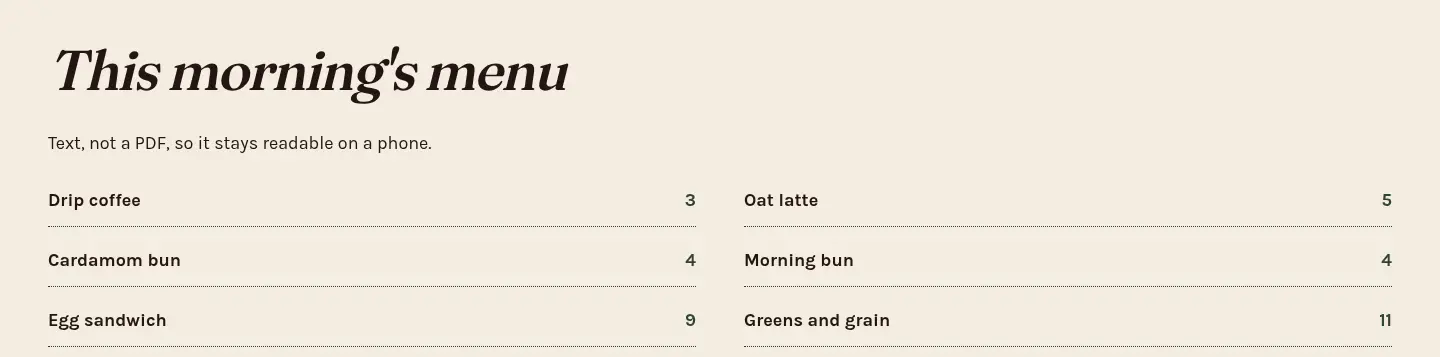
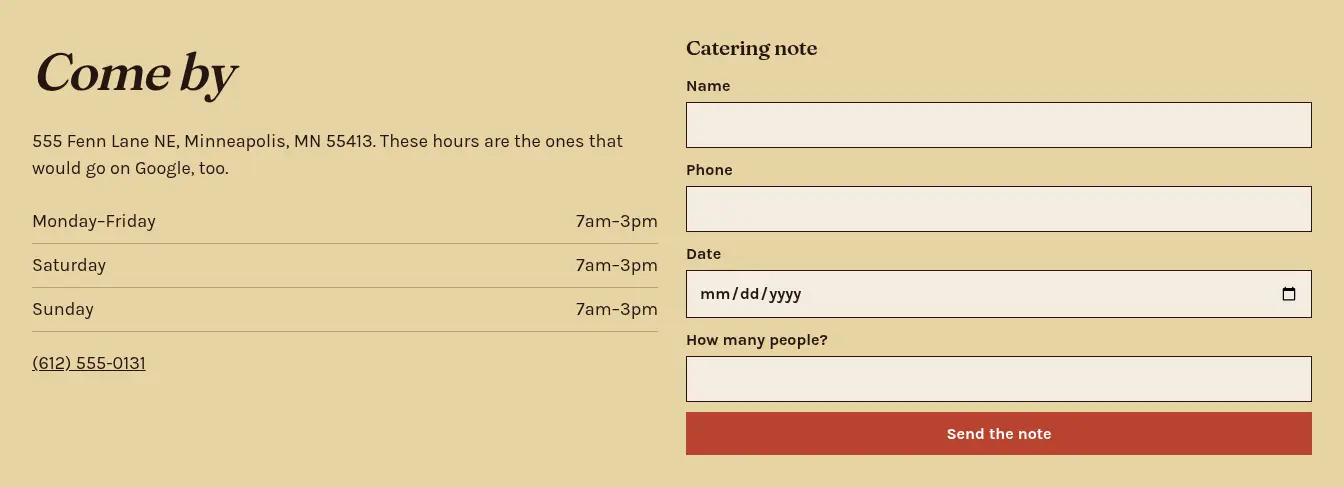
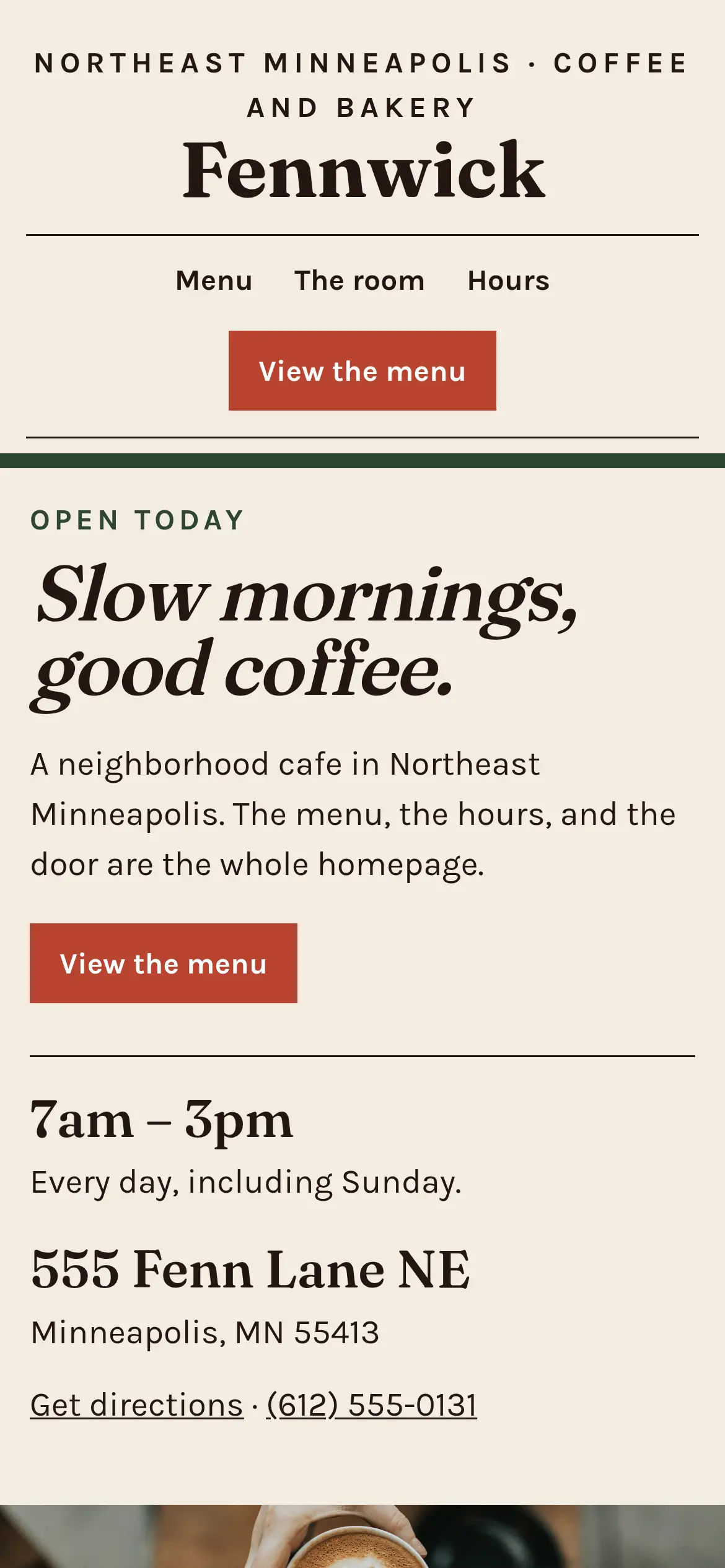
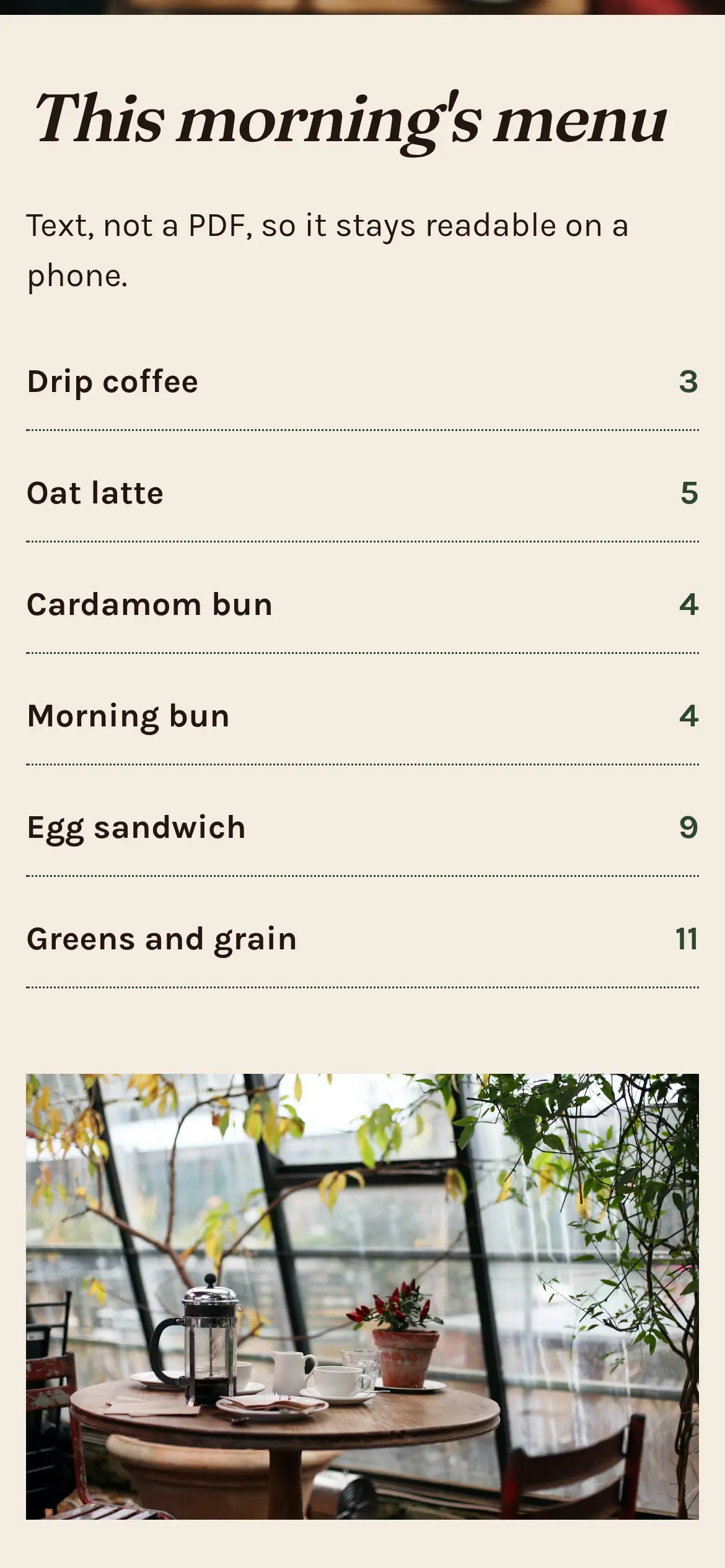
Layout: A centered magazine masthead, then a text navigation line with a square terracotta "View the menu" button. The hero is a full-bleed coffee photograph with a light grain. A cream sheet overlaps the bottom of the photo: the headline on the left, hours and the Northeast address on the right. The menu is a two-column list with dotted leaders, set in text rather than a dark band. A story block places a counter photograph beside a short note. The visit block is a straw panel with the weekly hours and a short catering form. On a phone, the hours, the address, and the menu button come before the photograph, so all three fit on the first screen.
Imagery: Unsplash photographs of coffee being poured, a cafe counter, and bread, with a light grain over the hero photograph.
Key pages:
- Home
- Menu (coffee, pastries, lunch)
- Hours and Location
- Catering (extra page)
- About
What We Built
- Mobile-first layout: The menu, hours and directions are all reachable from the first screen on a phone.
- Text-based menu: Menu items are real text, not an image or a PDF, so they're readable on any phone and visible to search engines.
- Local SEO: The title tags, headings and copy name the neighborhood, and the address and phone number match the Business Profile exactly.
- CafeOrCoffeeShop schema: Structured data using the schema.org
CafeOrCoffeeShoptype, with hours and a link to the menu. - Google Business Profile setup: Categories, hours, menu link, photos and a description that all match the website.
- Contact and catering form: A simple form for catering and large-order questions.
- Social integration: Instagram and Facebook links where people expect them, without slowing the page down.
- 2 hours of training: Staff learn to update menu items, holiday hours and the Business Profile.
Sample structured data (the street address is filled in at launch):
{
  "@context": "https://schema.org",
  "@type": "CafeOrCoffeeShop",
  "name": "Fennwick Café",
  "url": "https://fennwickcafe.com",
  "telephone": "+1-612-555-0131",
  "servesCuisine": ["Coffee", "Bakery"],
  "hasMenu": "https://fennwickcafe.com/menu",
  "address": {
    "@type": "PostalAddress",
    "addressLocality": "Minneapolis",
    "addressRegion": "MN",
    "addressCountry": "US"
  },
  "openingHours": "Mo-Su 07:00-15:00"
}
Process Timeline
Here's a typical schedule for this package. Your quote confirms the real timeline.
- Week 1: brainstorm and setup. A 1-hour brainstorm covers the menu, hours, neighborhood, the cafe's personality and sample sites you like. Then we pick the template and page list and gather content.
- Week 2: design and build. We apply the template, colors and type, build the menu page and map, source photos and set up the contact form. First revision round.
- Week 3: local SEO, Google Business Profile, launch and training. Titles, meta descriptions, schema and analytics, plus setting up or cleaning up the Business Profile so it matches the site. Second revision round, launch, and 2 hours of training on updating the menu, hours and Business Profile.
What It's Designed to Drive
- More walk-ins from "coffee near me" searches. A matching website and Business Profile are designed to support local visibility. Google says local results are based mainly on relevance, distance and prominence (Google Business Profile Help).
- Fewer "are you open?" calls. Hours are designed to be accurate and visible everywhere.
- More catering questions. A dedicated page and form are designed to turn catering interest into real inquiries.
- A site the staff actually keeps up to date. Training is designed to make updates a five-minute task.
Frequently Asked Questions
Q: How much does a cafe or restaurant website cost in Minneapolis with SS Labs? A: A single-location cafe site like this fits our $1,000 Local Small Business package, which includes local SEO, Google Business Profile setup and 2 hours of training. Extra pages are $300 each.
Q: Should I put my menu on my website as a PDF? A: We recommend a text menu instead. It's easier to read on a phone and easier for search engines to understand.
Q: Can I update my own hours and menu? A: Yes. The package includes 2 hours of training so you or your staff can make those updates yourselves.
Start Your Project
Own a cafe, bakery or restaurant in the Twin Cities? Let's get your menu, hours and directions working for you.
- Email: Ben@StrategicSolutionsLabs.com
- Free 30-minute consultation, and a reply within 24 hours
Explore our website packages, our process, Minneapolis web design, SEO services, or more projects in the design showcase.
Sources
Checked October 7, 2026.