The Project
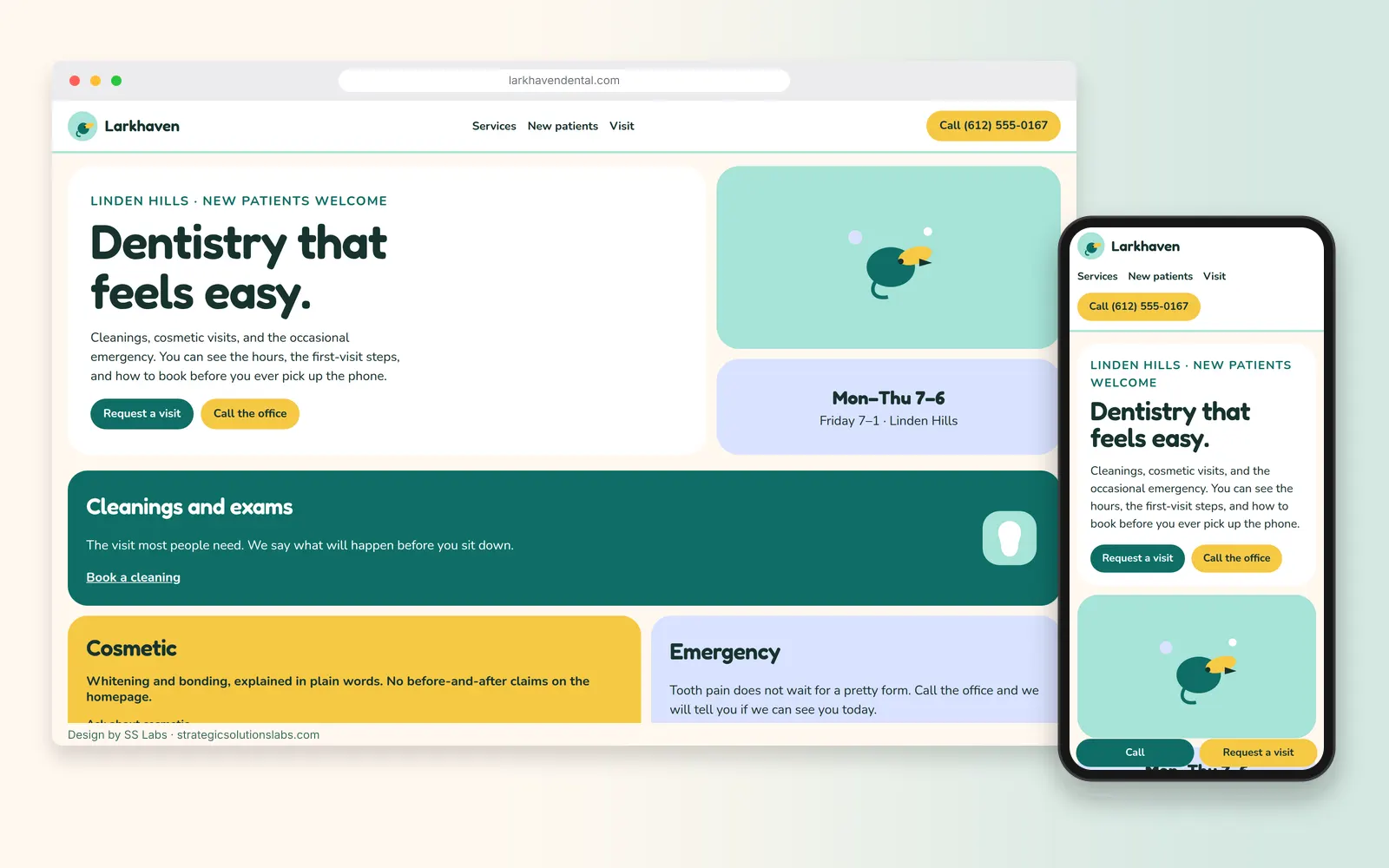
The project is a website for Larkhaven Dental, a family and cosmetic dental practice in Linden Hills. Dental websites have a tricky job. Many visitors are a little nervous about the dentist to begin with, and a cluttered site full of stock smiles and jargon doesn't help. What they really want to know is simple. Are you taking new patients? Do you take my insurance? How do I book? What happens at the first visit?
This design answers those four questions before anything else, in a look that feels calm rather than clinical.
The Goals
- Make new patients feel at ease. Rounded shapes, plain language, and a bright palette, with dark text on light backgrounds so it stays easy to read.
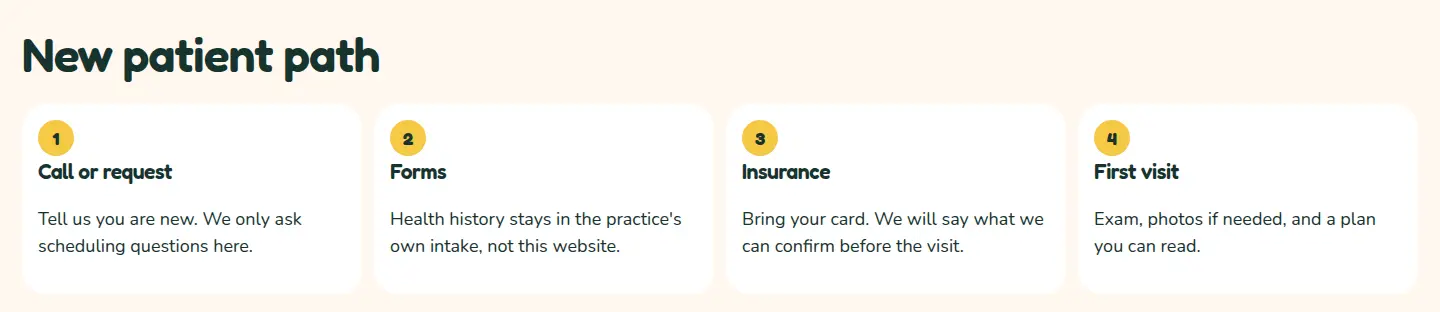
- Give new patients a clear path. A dedicated New Patients page and an on-page checklist covering forms, insurance and what happens at the first visit.
- Make booking simple. A "Request an Appointment" button in the header, the hero and a sticky mobile bar.
- Rank for the services people search. Separate pages for cleanings and exams, cosmetic dentistry and emergency visits.
- Look like no other practice in town. A fully custom design instead of a dental template.
Package Fit
Package: Fully Custom Website, $2,500.
A practice that wants to stand apart from the template sites common in its field needs a design built from scratch. The $2,500 package includes a website built from scratch, 3 rounds of revisions, standard SEO optimizations, an XML sitemap and Google Analytics, along with mobile responsiveness, a contact form and photo sourcing.
Google Business Profile setup isn't listed in this package, so for this build it's scoped as an add-on in the quote. It's included by default in our $1,000, $2,200 and $8,000 packages. Compare them all in the website packages section.
Design Approach
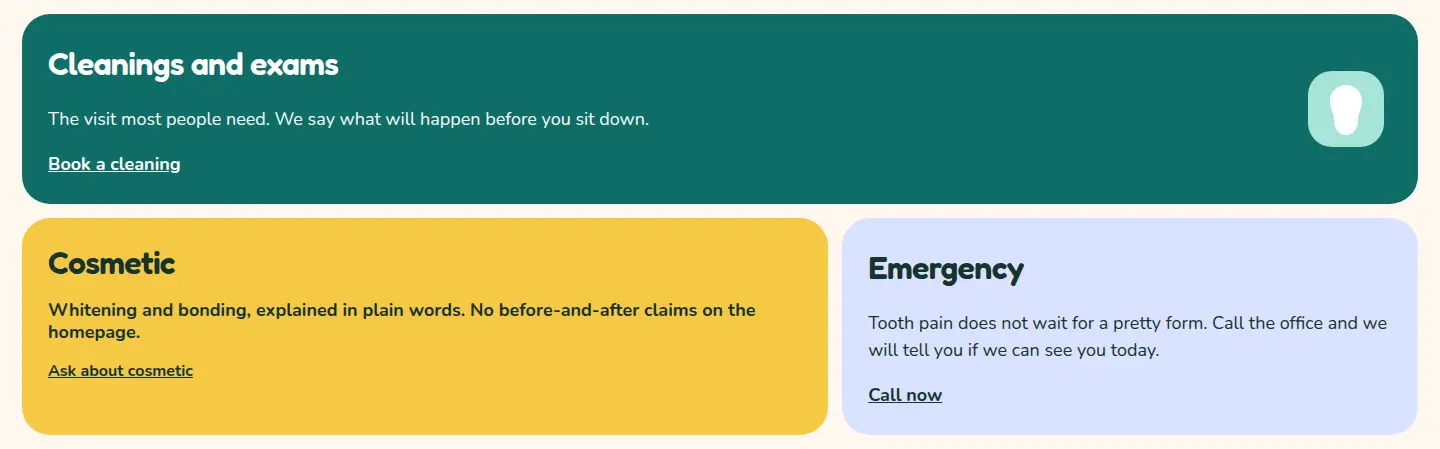
Colors: Cream (#FFF8F0), ink (#17332F), lagoon (#0F6E66) for the request button and the cleanings tile, aqua (#A7E3D8), sunflower (#F6C945) for the call button, and periwinkle (#D9E2FF) for the hours tile. Body text stays ink on cream or white, which clears WCAG AA. White text is used only on the lagoon tile.
Type: Fredoka for headlines and the wordmark. Nunito at 18px for body copy and buttons. Both faces are rounded.
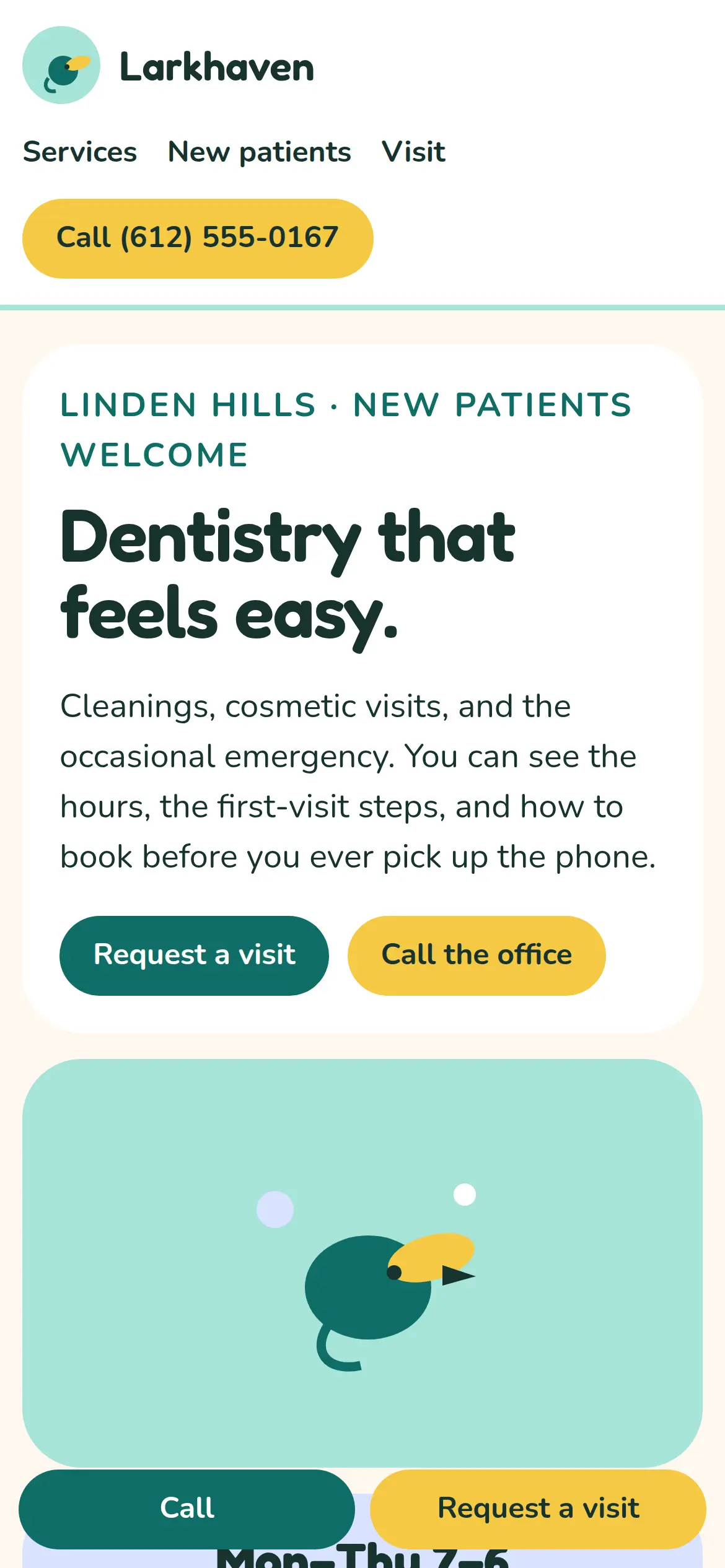
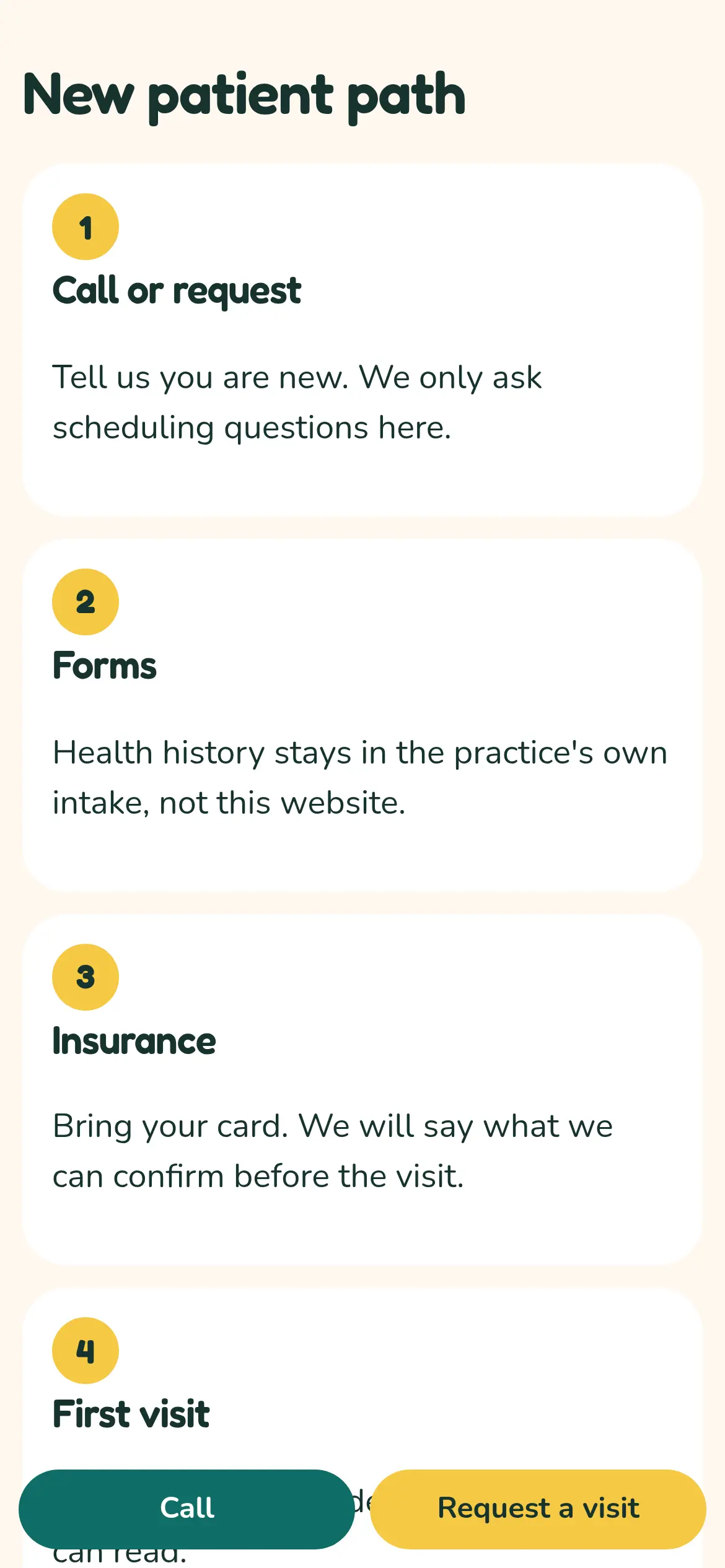
Layout: A white header with an original lark mark, text links, and a sunflower pill that shows the phone number. The hero is an uneven bento: a large copy tile, an aqua tile with the lark, and a periwinkle hours tile. Services are unequal rounded tiles. New patients are four numbered steps. That path is the checklist. The office address and the scheduling form share one large rounded panel. On a phone, a bar pinned to the bottom keeps "Call" and "Request a visit" in reach.
Imagery: Original SVG only. A geometric lark, a simple tooth shape on the cleanings tile, and no stock photograph of a smile.
Key pages:
- Home
- About the Practice
- Services (Cleanings and Exams, Cosmetic Dentistry, Emergency Visits)
- New Patients (what to expect, forms, first-visit tour)
- Insurance and Payment
- Contact and Request an Appointment
What We Built
- Custom responsive design: Built from scratch, with the bento hero, the service tiles, and the new-patient steps reworked for phones instead of simply shrunk.
- Appointment request form: Name, phone, email, preferred day and time, and new or returning patient. The form sticks to scheduling details only and leaves health history to the practice's own intake system.
- Sticky mobile actions: "Call" and "Book Visit" stay pinned to the bottom of the screen on phones.
- Service pages built for search: Each service page has its own title, meta description and Q&A block answering common questions in plain language.
- Dentist schema: Structured data using the schema.org
Dentisttype, the most specific LocalBusiness subtype for a dental office, as Google recommends (Google Search Central). - Google Business Profile (add-on): Categories, hours, services and appointment link set to match the website exactly.
- Analytics and sitemap: Google Analytics with appointment-request and call-click events, plus an XML sitemap.
Sample structured data (the street address and final hours are filled in at launch):
{
  "@context": "https://schema.org",
  "@type": "Dentist",
  "name": "Larkhaven Dental",
  "url": "https://larkhavendental.com",
  "telephone": "+1-612-555-0167",
  "address": {
    "@type": "PostalAddress",
    "addressLocality": "Minneapolis",
    "addressRegion": "MN",
    "addressCountry": "US"
  },
  "openingHours": ["Mo-Th 07:00-18:00", "Fr 07:00-13:00"]
}
Process Timeline
Here's a typical schedule for a custom build this size. Your quote confirms the real timeline.
- Week 1: brainstorm and content plan. A 1-hour brainstorm covers services, ideal patients, insurance questions and brand feel. Then we plan the sitemap, service-page outlines and keywords.
- Week 2: custom design. Homepage and inner-page designs for desktop and mobile, built from scratch, followed by the first revision round.
- Week 3: development. We build every page, the appointment request form, the sticky mobile bar and the schema. Second revision round on a staging link.
- Week 4: SEO, testing and launch. Titles, meta descriptions, the sitemap and Google Analytics. Testing across browsers and devices. Final revision round, launch, and the Business Profile add-on if it's included.
What It's Designed to Drive
- More appointment requests from new patients. The booking path is designed to be obvious from every page.
- Fewer "are you taking new patients?" calls. The checklist and New Patients page are designed to answer that up front.
- Search visibility for specific services. Separate service pages are designed to match searches like "cosmetic dentist Linden Hills."
- A brand that feels like the practice. A custom look designed to stand apart from dental templates.
Frequently Asked Questions
Q: How much does a custom dental website cost with SS Labs? A: A fully custom design like this one fits our $2,500 package. Practices that want a CMS and design mock-ups before development can step up to the $8,000 package.
Q: Can patients book appointments on the website? A: Yes. This design uses an appointment request form, and it can also link to an online scheduling tool the practice already uses.
Q: Should a dental website collect health information in its contact form? A: We keep website forms to scheduling details and leave health history to the practice's own intake system.
Start Your Project
Run a dental, chiropractic or other clinic in the Twin Cities? Let's talk about a site that makes booking easy.
- Email: Ben@StrategicSolutionsLabs.com
- Free 30-minute consultation, and a reply within 24 hours
Explore our website packages, our process, Minneapolis web design, SEO services, or more projects in the design showcase.
Sources
Checked October 7, 2026.